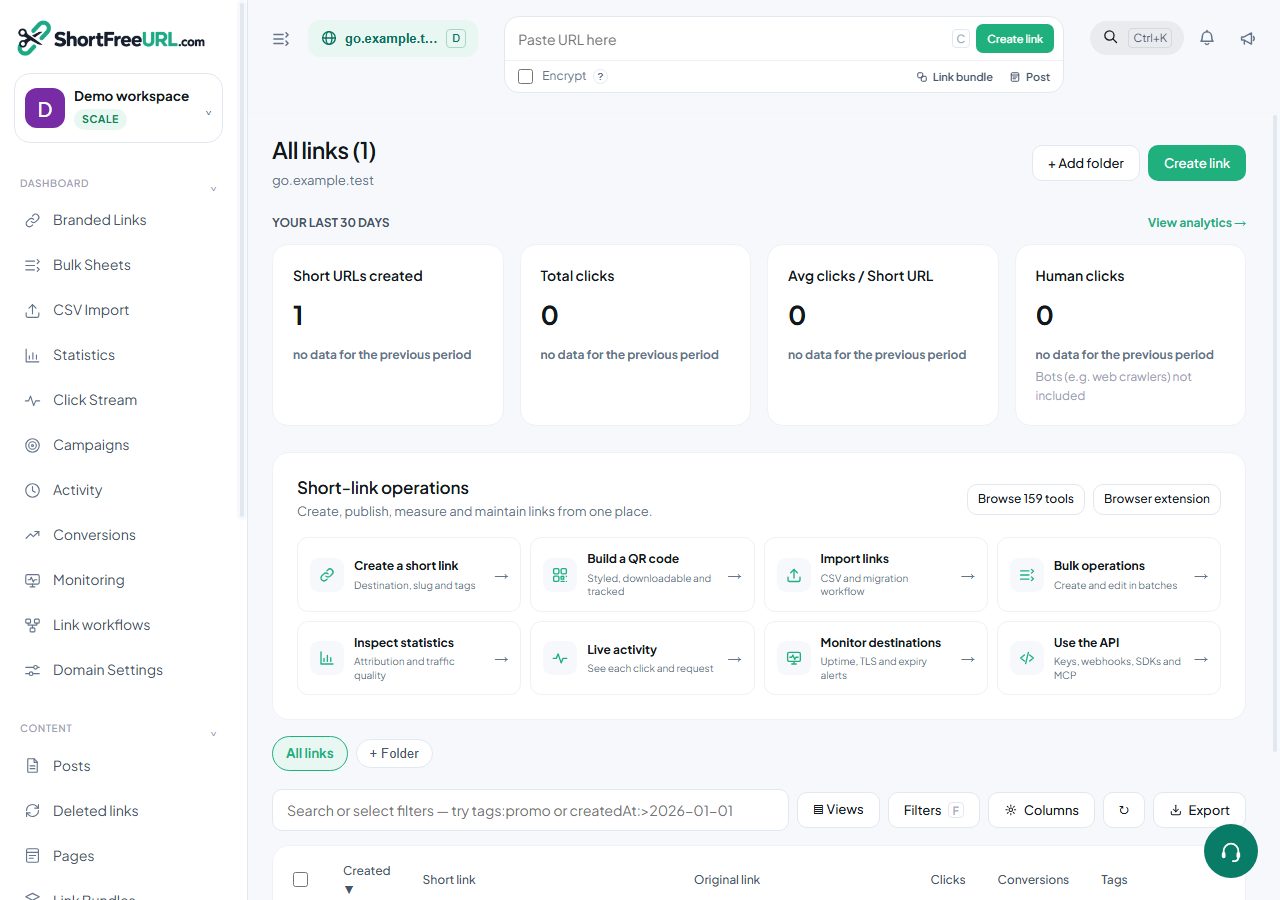
A link is made of two things: the domain it lives on and the slug that follows it. Once a domain is connected, creating a link takes one paste.
The quickest path
Paste a destination into the "Paste URL here" bar at the top of the dashboard and press Enter. Pressing C anywhere in the app opens the same dialog. ShortFreeURL picks a random six-character slug on the domain marked as your favourite, or the default domain set in your profile.
If you want a readable slug, type it in the Link slug field. Slugs may contain letters, numbers and the characters . _ ~ - / — a slash is allowed, so go.acme.com/docs/api is a single link, not a folder. Slugs are matched case-insensitively unless the domain has case sensitivity turned on.
What the create dialog fills in for you
- Title — fetched from the destination page's
<title>and Open Graph tags. - Slug suggestions — the AI suggestion button proposes readable slugs from the destination. Ignore them and type your own if you prefer.
- Tags — suggested from the page content. Tags are free text and shared across the domain.
- Folder defaults — if you pick a folder that carries defaults, its redirect type, UTM values and QR style are applied unless you override them.
Duplicates
By default a domain refuses a second link pointing at the same destination and returns a 409 with the existing link attached, so you reuse it instead of creating near-identical links. Turn "Allow duplicates" on in Domain settings if your workflow needs one link per campaign to the same page.
After it is created
Copy the short URL with the copy button, or open the row menu for QR, Statistics, Duplicate and Archive. Archiving hides a link from the table without breaking it — the redirect keeps working. Deleting is permanent and frees the slug for reuse.
Clicks appear in Statistics within seconds. Nothing is sampled: every request that reaches the redirector is written to the click log, bots included, and separated afterwards.
Find this in your dashboard
- Sign in and select the workspace and domain you want to manage.
- Open Branded Links. Review the article’s steps and your plan’s available controls.
- Save your changes, reopen the record and verify the saved result. For routing changes, check the short link with a test visit.