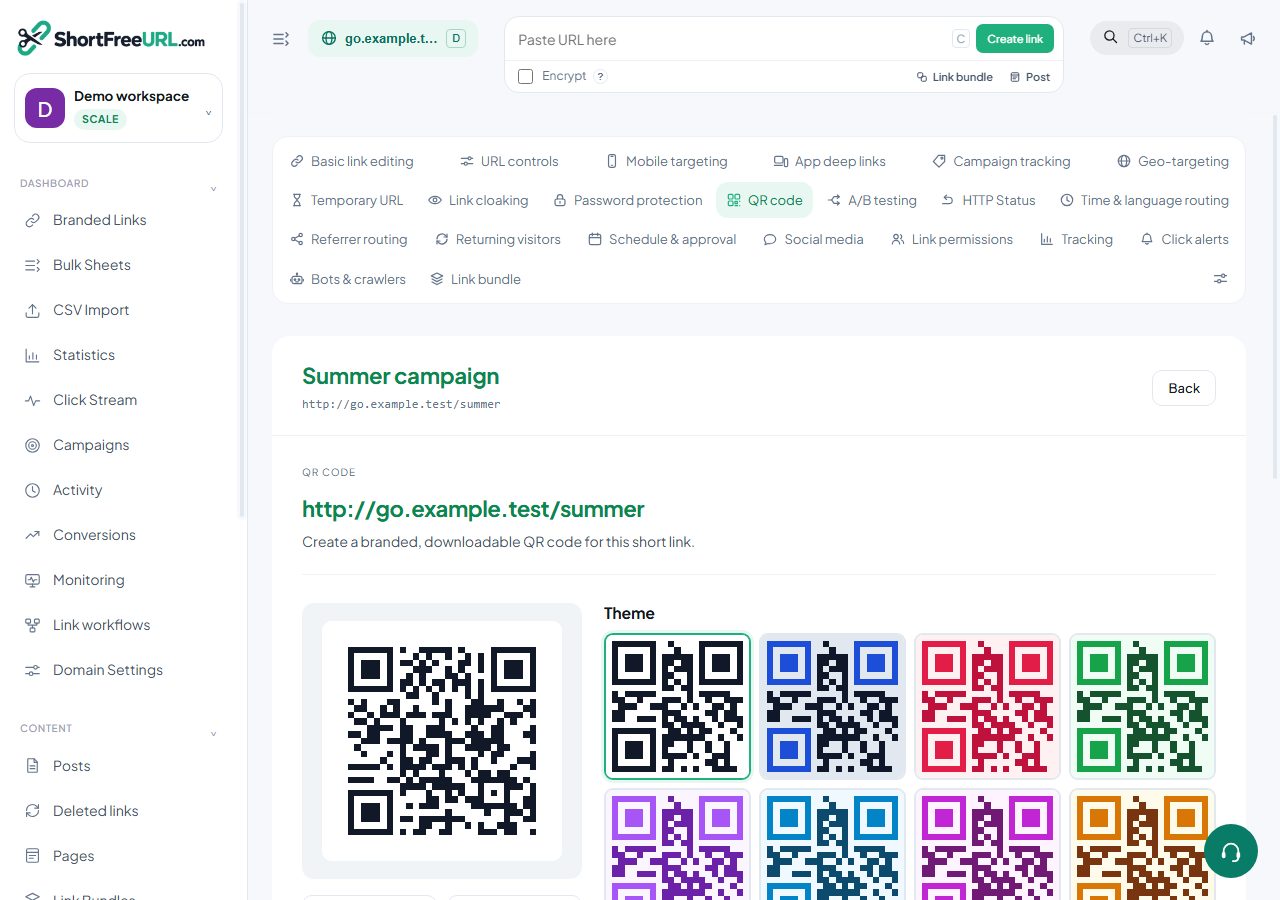
Sometimes you do not want a file — you want a URL you can drop into a template, an email, a CMS or a partner's site. That is what publishing a code does.
What you get
Publish from the studio and you receive two things: a permanent image URL, and an embed snippet ready to paste into HTML. The image is served from your instance and stays available until you revoke it. The style, size and format are fixed at publish time.
Where this is worth it
- Email templates. An email client cannot render an SVG reliably and cannot generate a code. A published PNG URL works everywhere.
- A CMS with no file management. Paste the URL into an image field.
- Documents generated by software. An invoice or a ticket template can reference the URL rather than embedding bytes.
- Partner sites. Give a partner a URL rather than a file that will be resized, recompressed and eventually lost.
Managing published codes
The QR codes page lists everything you have published, with the link it belongs to and when it was created. Revoking one stops the image URL serving. That is a real consequence: anything embedding it shows a broken image, including emails already sent. Revoke deliberately.
The relationship with the link
A published code encodes the short URL, so the destination is still editable — changing where the link points changes where every copy of that image leads. What you cannot change is the code itself: republishing with a different style produces a new URL.
For the same reason, do not delete the underlying link while a published code is in circulation, and do not change its slug. Archiving the link keeps the redirect working while removing it from the table.
Scans
Published codes encode the short URL with the QR marker, so their scans are recorded as scans rather than as ordinary clicks and appear in the QR card on the statistics page.
Alternatives
If the image only needs to exist once — a poster, a slide — download it instead. A published URL is a small piece of infrastructure you now have to remember exists; use it when something else is going to fetch the image repeatedly.
Find this in your dashboard
- Sign in and select the workspace and domain you want to manage.
- Open QR code. Review the article’s steps and your plan’s available controls.
- Save your changes, reopen the record and verify the saved result. For routing changes, check the short link with a test visit.