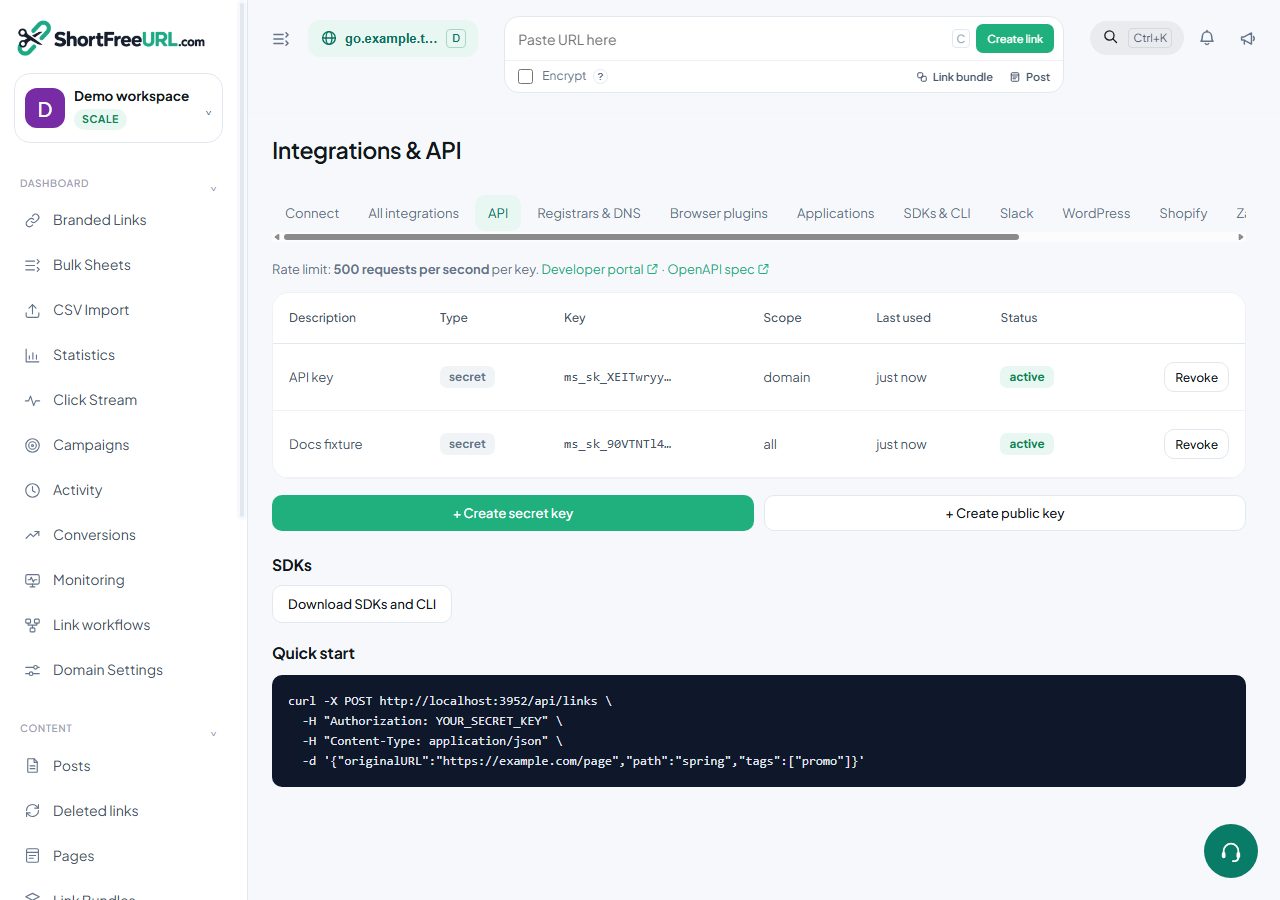
The REST API covers everything the dashboard does. This page describes the conventions that apply to every endpoint; the endpoint list itself is generated from the running routes.
Authentication
Pass an API key in the Authorization header:
curl https://your-instance/api/links \
  -H "Authorization: YOUR_SECRET_KEY"
Secret keys have full access to the organization. Public keys can only create links, and are the right choice for anything shipped to a browser or a mobile app. A key can be scoped to a single domain, in which case every request is confined to that domain.
Session cookies also authenticate, which is how the dashboard itself calls the API. Anything you can do in the dashboard you can do with a key, subject to your role: readonly members get 403 on write endpoints.
Request and response shape
Requests are JSON with Content-Type: application/json. Responses are JSON. Field names in responses use camelCase — originalURL, shortURL, createdAt — while write payloads accept both camelCase and the underlying snake_case names, so original_url and originalURL are both understood on create and update.
Rate limits
Requests are limited per key at the rate shown on the API tab under Integrations. Exceeding it returns 429. Back off and retry; do not spin. For volume, use the bulk endpoints rather than a loop of single requests.
Plan gating
Some fields require a paid plan. If a write includes gated fields your plan cannot use — geo rules, expiry, cloaking, password, social metadata, per-link tracking, link permissions — the request still succeeds, the gated fields are dropped, and the response carries an upgradeRequired list naming the features that were stripped. Check for it rather than assuming a 200 means everything was applied.
Limits and quotas
Creating a link when a plan limit is reached returns an error naming the limit. Links created through the API count against the API link allowance separately from the total link count.
Discovery
GET /api/openapi.json returns an OpenAPI description of the live routes, which is the fastest way to generate a client. GET /api/zapier returns the trigger and action catalogue used by the automation platforms.
Find this in your dashboard
- Sign in and select the workspace and domain you want to manage.
- Open API keys. Review the article’s steps and your plan’s available controls.
- Save your changes, reopen the record and verify the saved result. For routing changes, check the short link with a test visit.