

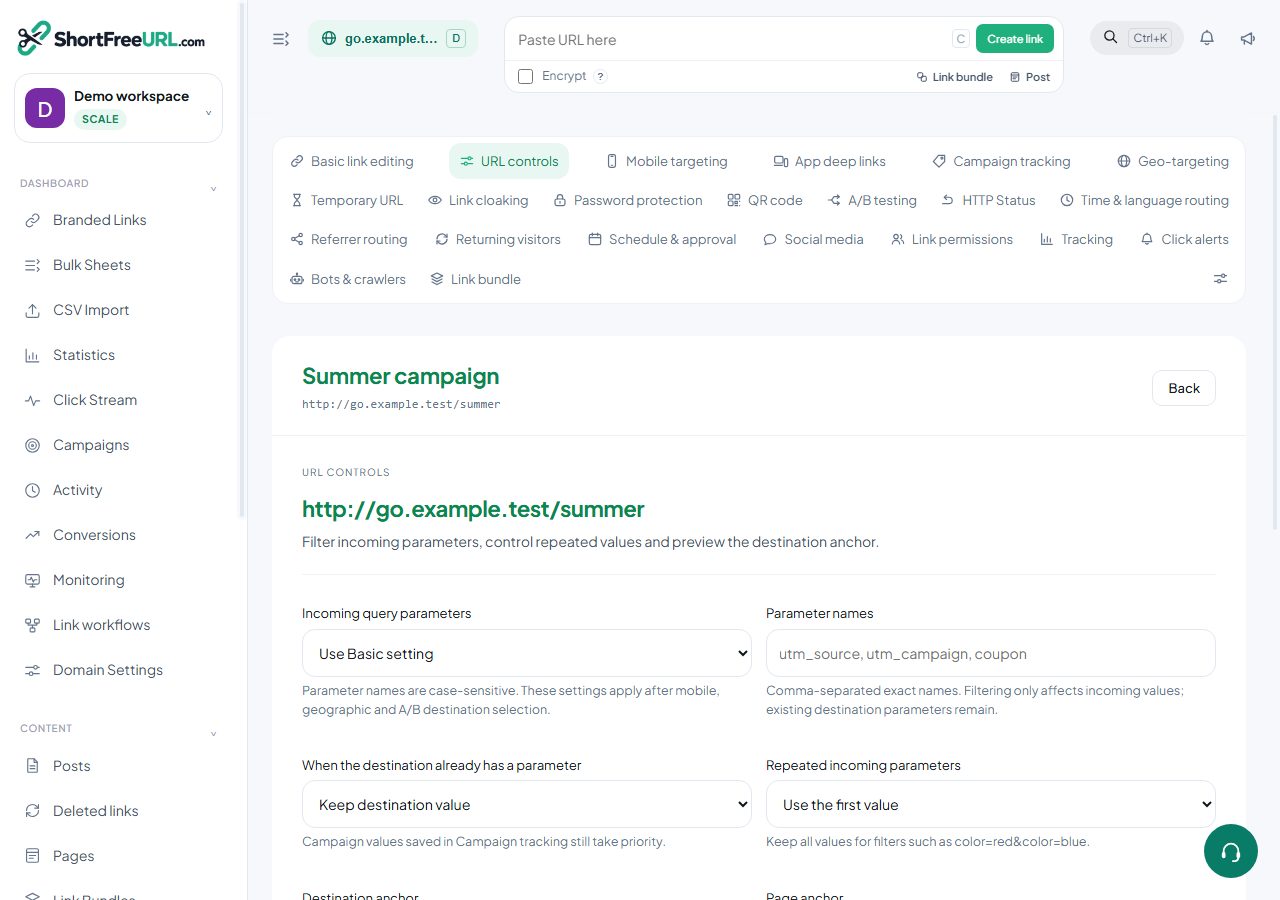
1. Open URL controls
Select a link in Branded Links and choose URL controls.
2. Choose which parameters pass through
Keep the inherited behavior, forward all, forward none, or enter an allowlist/blocklist. Names are case-sensitive. Reserved service parameters are never forwarded by this policy.
3. Resolve repeated values
Choose whether existing destination values or incoming values win. Preserve all repeated values only when the destination expects them.
4. Set an anchor
Keep, replace or remove the fragment. URL controls apply to HTTP(S) destinations; contact and encrypted destinations do not support them.
5. Preview and save
Enter sample query parameters in the offline preview. Previewing does not create a click. Saved campaign UTM values take precedence; real routing can also select a device or geographic destination. Save, reopen the record and make a controlled test visit.
Find this in your dashboard
- Sign in and select the workspace and domain you want to manage.
- Open URL controls. Review the article’s steps and your plan’s available controls.
- Save your changes, reopen the record and verify the saved result. For routing changes, check the short link with a test visit.