1. Keep your existing account
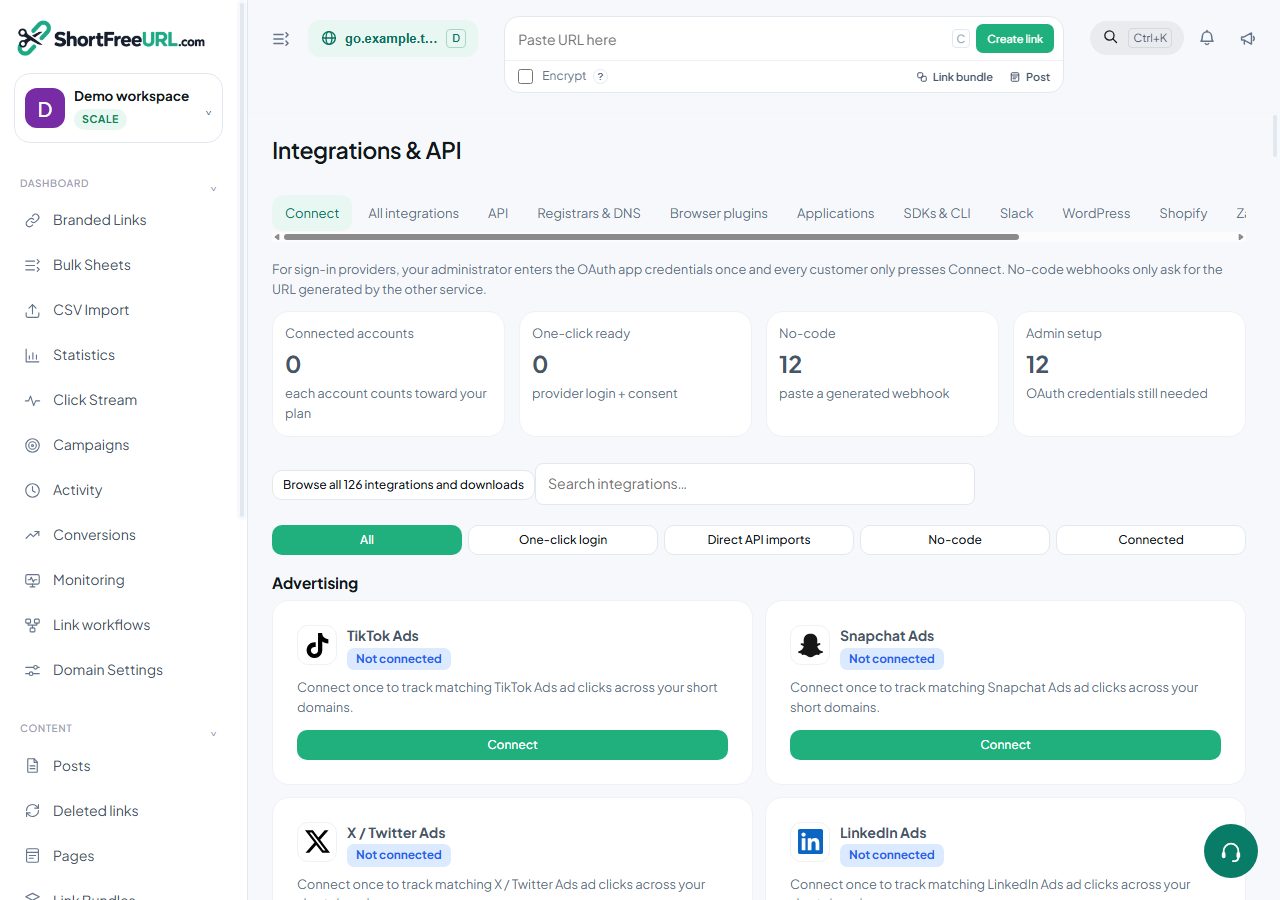
Open Integrations & API and find the provider, for example Snapchat Ads. Your existing account remains connected.
2. Add another account
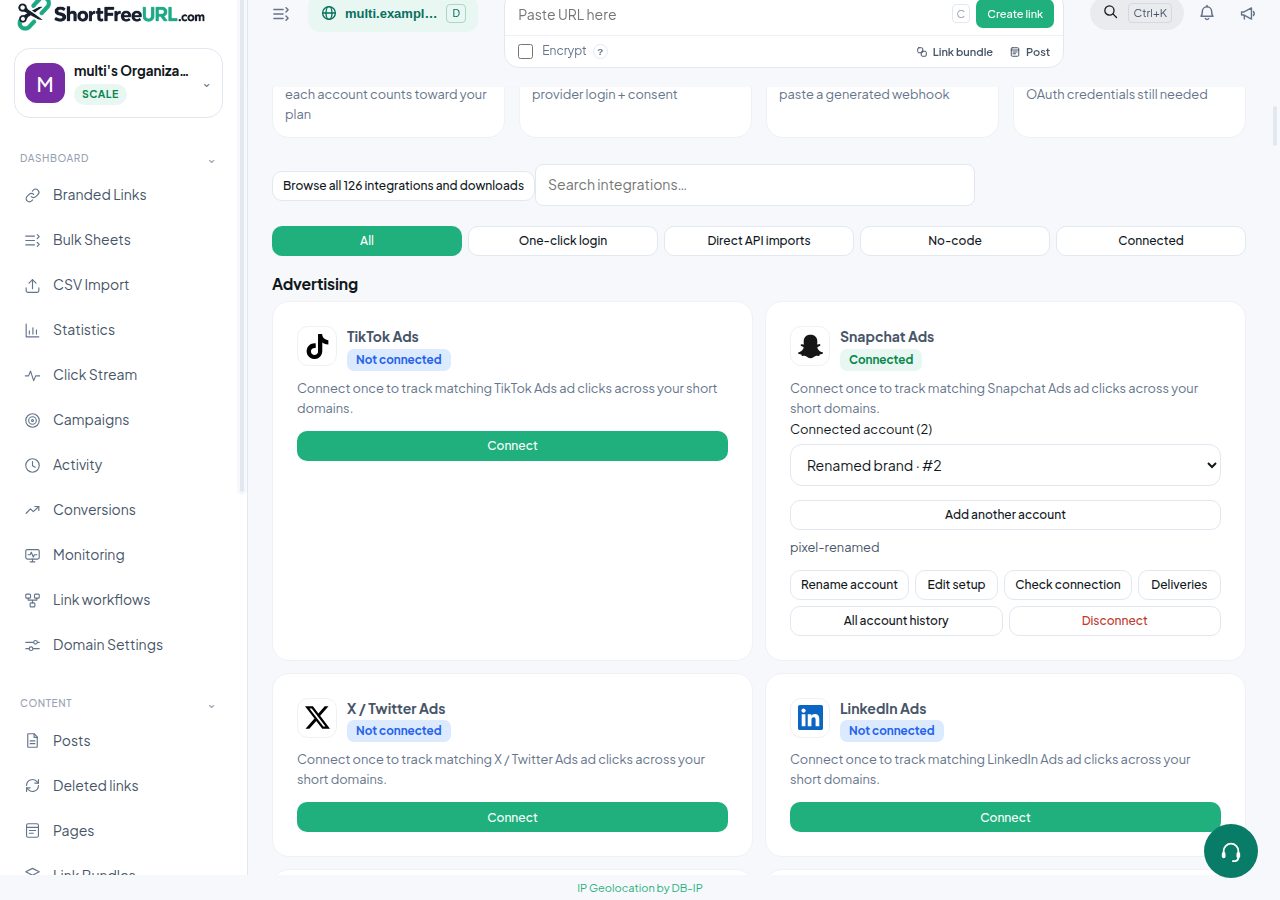
Choose Add another account. Enter a recognizable account name, then sign in to a different provider account or paste its own API credentials. Never reuse the first account token by accident.
3. Choose the active account to manage
Use Connected account to select one account. Edit setup, Rename account, Check connection, Events and Deliveries apply only to that selected account. Selecting an account does not pause the other account.
4. Configure automatic delivery
For advertising connectors, turn Automatic ad-click tracking on for each account that should receive matching clicks. Choose a domain or leave the domain blank for all workspace domains. Both enabled Snapchat accounts can receive the same matching click, each with independent duplicate protection. Email draft and notification settings are also account-specific.
5. Verify and disconnect safely
Run Check connection for each account and inspect its Deliveries. All account history includes past provider deliveries, including disconnected accounts. Disconnect removes only the selected account and revokes its generated key. External OAuth revocation depends on the provider; reconnect any other grant the provider also invalidates.
Limits and tracking defaults
Every account consumes one integration slot. An expired plan or a lower account allowance blocks accounts beyond the allowance. GA4 Measurement Protocol, Meta and Segment also support multiple accounts with independent Automatic click tracking and Domain controls. A domain-specific tracking destination takes precedence over workspace accounts for that provider. Account deliveries are recorded separately and matching event IDs are deduplicated for seven days.
Find this in your dashboard
- Sign in and select the workspace and domain you want to manage.
- Open Integrations & API. Review the article’s steps and your plan’s available controls.
- Save your changes, reopen the record and verify the saved result. For routing changes, check the short link with a test visit.